Ontario's Plain-English Guide to Custom Home Building📞 705-533-1633 | ☎️ 1-866-868-6606 | ✉️ info@icfhome.ca
The Ontario Building Permit Application: What “Complete” Actually Means
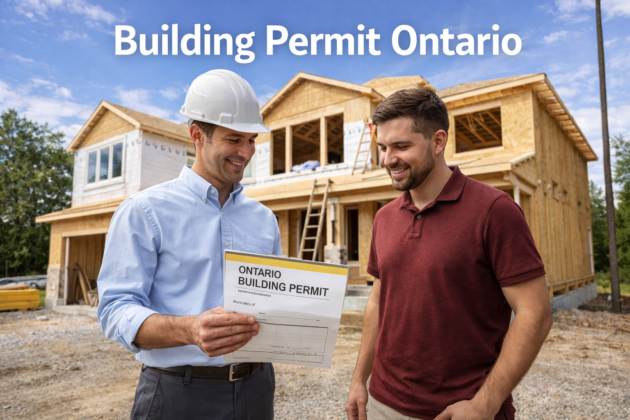
Permit application
What “complete” means
Forms, fees, drawings
The Ontario Building Permit Application: What “Complete” Actually Means
Here is the part nobody tells you: the review clock does not start when you hit submit. It starts when the city decides your application is COMPLETE. An incomplete package is not “in the queue” – it is parked, and you are at the back of the line until you fix it. So the whole game is assembling a complete application the first time: the right form, the right fees, a complete drawing set, the declarations, and the parallel approvals your project triggers. We have filed these across Simcoe County and Georgian Bay for 45 years – here is exactly what goes in the package, and what makes a city call it complete.
Two ways to file a complete application
Do it yourself with the step-by-step PDF, or have us assemble and pre-check the whole package. Either way, you skip the deficiency loop.
Best value – the $10,000 builder roadmap
The Ontario Building Permit Bible
Your permit, done yourself – without the guesswork.
$10,000$29.99one-time
Everything a builder does to coordinate a permit – including the exact complete-application checklist – in one plain-English playbook. Good anywhere in Ontario.
- The complete-application checklist – every form, fee, and declaration
- What each town means by “complete” – and how to give them exactly that
- Real fees, development charges, and what triggers the parallel approvals
- How to clear a deficiency list fast and never fail an inspection
30-day money-back guarantee.
Get instant access – $29.99 →
Secure checkout – download in 2 minutes – yours forever
Done for you
We assemble and pre-check it
Skip the building-department runaround.
Hand us the project. We prepare the drawing set, fill the application, sort the parallel approvals, and pre-check it against your town’s standard before you file. Anywhere in Ontario.
- Complete, scaled, code-compliant drawings drawn by a BCIN designer
- The application, declarations, and fee schedule sorted for your town
- We flag the deficiencies before the examiner ever sees them
- 45 years, 300-plus homes – we handle the heavy part, you build
Free quote, no obligation.
A real person gets back to you within one business day
Stuck on which form or which Code clause applies?
The application rides on the Ontario Building Code, and the Code is big. Ask our OBC Code Navigator your exact question – the first two are free, and you can grab the OBC PDF there too. Faster than reading 800 pages to find one line.
What a building permit application actually is
A building permit application is the package you give the municipality so they can confirm your project meets the Building Code and the zoning by-law before you build. It is not just a form – the form is the cover sheet. The package is the form plus the drawings, the fees, the designer information (or your homeowner exemption), and whatever parallel approvals your project triggers. The city reviews the whole thing as one application.
Ontario uses a standard provincial Application for a Permit to Construct or Demolish, and most municipalities now take it through an online portal. But the form is the easy part. The reason permits stall is almost never the form – it is the package around it being incomplete.
“Complete application” – the most important two words
Under the Building Code, the city has a fixed review window once your application is complete – about 10 business days for a house, 15 for a small building, 30 for something large. The catch is right there in the word: the clock only starts when they judge the package complete. Submit something missing a fee, a drawing, or a required form, and they can decline to start the review – the file sits until you fix it.
Why this matters more than anything else on this page: “almost complete” is not complete. A package that is 95% there does not get 95% of the review – it gets parked. The single biggest thing you control is handing them a complete application the first time. Completeness is the closest thing to a cheat code for speed.
What goes in the package
Not every project needs all of this – a small reno is light, a new home is the full list. But this is the menu the city assembles “complete” from:
The application form
The provincial Application for a Permit to Construct or Demolish: owner and applicant details, project address and description, construction value, and the schedules. Filled out fully – blanks read as “incomplete.”
The drawing set
Site plan, floor plans, elevations, sections, structural and (on new builds) energy and mechanical. This is usually the biggest single reason a file is or is not complete. See what drawings you need.
The fees
The permit fee (by construction value or floor area), plus any plumbing, HVAC, or deck add-ons. On a new dwelling, development charges can dwarf the permit fee. Ballpark it with the permit cost calculator.
Designer info or owner exemption
The BCIN and registration of whoever prepared the drawings – or, if you drew your own home’s plans, the declared homeowner exemption. See what you can do as an owner-builder.
Energy & mechanical (new builds)
SB-12 energy compliance and a CSA F280 heat-loss / heat-gain calculation, usually BCIN-stamped. We sort these, or they can be handled through OntarioHeatLoss.ca.
Parallel approvals
On the right lot: a septic permit, a conservation authority approval, an entrance permit, or a Tarion / HCRA confirmation for a new home. These run alongside and can gate the permit.
Have us check your package before the city does.
The cheapest place to catch an “incomplete” is before you submit. We will go through your form, drawings, fees, and the parallel approvals your project triggers, flag what is missing, and tell you exactly what your town needs to call it complete. Quick paid consult – we scope it on a call and send a secure payment link, so you only pay once you know what you are getting.
How to actually submit it
Confirm zoning before you assemble anything
Zoning is checked on the site plan – setbacks, coverage, height. Sort it first with the zoning decoder, because a zoning problem stops a “complete” file cold.
Build the package to the town’s standard
Most municipalities submit through a portal (Cloudpermit, CityView, or a city e-services system); a few still take email for small jobs. Legible PDFs, consistent sheet names, clean revisions. If it is not on the sheet, it does not exist.
Submit and watch for the completeness check
Some towns do a fast “is this complete?” screen before the real review. Clear that and the statutory clock starts; fail it and you are parked until you resubmit.
Clear deficiencies fast, then build to the approved set
A deficiency notice is normal – fix the item, label it, resubmit. Most common rejections are predictable. Then build what was approved, and do not start early – here is what happens if you build without a permit.
Don’t want to assemble it at all? We’ll do the whole package.
We design the permit-ready set, fill the application, sort the energy and parallel approvals, and pre-check it before you file – for anything from a deck or garage to a garden suite or full custom home. Tell us what you are building.
The things that get an application called “incomplete”
- Blanks on the form – missing construction value, applicant details, or a schedule.
- Drawings missing a sheet – usually no section, or no site plan with dimensioned setbacks.
- Fee not paid or miscalculated – the review will not start on an unpaid file.
- No designer info / no declared owner exemption – the city needs to know who is responsible.
- Energy or heat-loss missing on a new build – SB-12 and F280 are not optional.
- A parallel approval not in hand – septic, conservation, or entrance permit still outstanding.
- Wrong or outdated survey under the site plan – setbacks can’t be confirmed.
If you only fix these, you avoid the majority of “your application is incomplete” letters. For the deeper list and how to clear each one, see common permit rejections and fixes.
Related permit guides on this site
Building permit application: frequently asked questions
What does a complete building permit application include in Ontario?
The provincial Application for a Permit to Construct or Demolish (filled out fully), a complete drawing set (site plan, floor plans, elevations, sections, plus structural, energy, and mechanical where they apply), the permit fee, designer information with a BCIN or your declared homeowner exemption, and any parallel approvals your lot triggers – septic, conservation authority, entrance permit, or a Tarion confirmation for a new home. The city reviews all of it as one package, and “complete” means none of those required pieces is missing.
What does “complete application” mean and why does it matter?
It is the legal trigger for the review clock. The Building Code gives the city a fixed window to review once the application is complete – about 10 business days for a house, 15 for a small building, 30 for a large one. But the clock only starts when they judge it complete. An incomplete package can be refused before review even begins, and it effectively sits until you resubmit. Completeness is the single biggest thing you control for speed.
How long does the city have to review my application?
Once complete, roughly 10 business days for a house, 15 for a small building, and 30 for something complex – the city must issue or refuse with reasons inside that window. Counting design, zoning, assembling the package, and any deficiency back-and-forth, a simple job often runs 4 to 8 weeks start to finish and a new home 12 to 20. The fastest applications are the boring ones: complete, clear, zoning cleared, no surprises.
Can I submit my own building permit application as a homeowner?
Yes – homeowners can be the applicant, and for simple work some municipalities accept owner-prepared drawings under the Building Code’s homeowner-design exemption, which you declare on the form. Being the applicant does not lower the bar, though: the drawings must still be scaled and code-compliant, the fees paid, and the parallel approvals in hand, and you carry the responsibility. For additions, structural work, and new builds, a qualified designer usually saves more time than it costs.
How do I submit a building permit application in Ontario?
Most municipalities use an online portal – Cloudpermit, CityView, or a city e-services system – and a few still accept email for small jobs. You upload the completed application, the drawing set, and the supporting documents, and pay the fee. Submit legible PDFs with consistent sheet names and clean revisions. Some towns run a quick completeness screen before the full review; clearing that screen is what starts the statutory clock.
What fees come with a permit application?
The permit fee itself, set by your municipality and usually based on construction value or floor area, plus any add-ons for plumbing, HVAC, or decks. The fee covers plan review and inspections. The bigger budget items are often outside the permit fee – development charges (which on a new dwelling can be many times the permit fee), surveys, engineering, and energy documents. Run the Ontario building permit cost calculator for a ballpark before you file.
Why was my application returned as incomplete?
Almost always a missing piece, not a design flaw: a blank on the form, an unpaid or miscalculated fee, a drawing sheet missing (often the section or a dimensioned site plan), no designer information or declared exemption, missing energy or heat-loss documents on a new build, or a parallel approval (septic, conservation) not yet in hand. The fix is to supply the missing item and resubmit – the review clock then starts. A package review before you file catches these.
Can you prepare and file my application for me?
Yes – that is what we do. We prepare the permit-ready drawing set, fill out the application, sort the energy and parallel approvals, and pre-check the whole package against your town’s submission standard so it lands complete the first time. We have filed these across Simcoe County and Georgian Bay for 45 years. Use the “Get your plans drawn” button or book a package review and tell us what you are building.
Note: this is general guidance, not a ruling on your project. Forms, fees, portals, and what counts as complete vary by municipality, and zoning is checked separately from the Building Code. Confirm with your municipality – or have us assemble and review the package and we will confirm it for you.
Latest posts
Fresh guides, calculators & real-world advice
More from BuildersOntario – scroll to explore.
Loading latest posts…
Tip: shift + mousewheel works great